Samsung Freezer Freezing Up: Quick Fix Guide
When your Samsung freezer starts accumulating excessive frost, it disrupts food storage and signals that something is interfering with the appliance’s normal operation. Frost buildup not only reduces usable storage space but also forces your refrigerator to work harder, potentially increasing energy consumption and leading to more serious mechanical problems if left unaddressed. Understanding why this happens and how to fix it can save you time, money, and the frustration of dealing with a malfunctioning appliance.
The underlying cause of freezer freezing up typically relates to air circulation and moisture intrusion. Cool air must circulate continuously throughout the compartment to maintain proper temperatures. When warm, humid air from outside enters this cold environment, the moisture in that air condenses and freezes onto surfaces inside the freezer. Over time, this accumulated frost can become thick enough to impede drawer operation and compromise the seal of the door itself, creating a cycle where the problem progressively worsens.
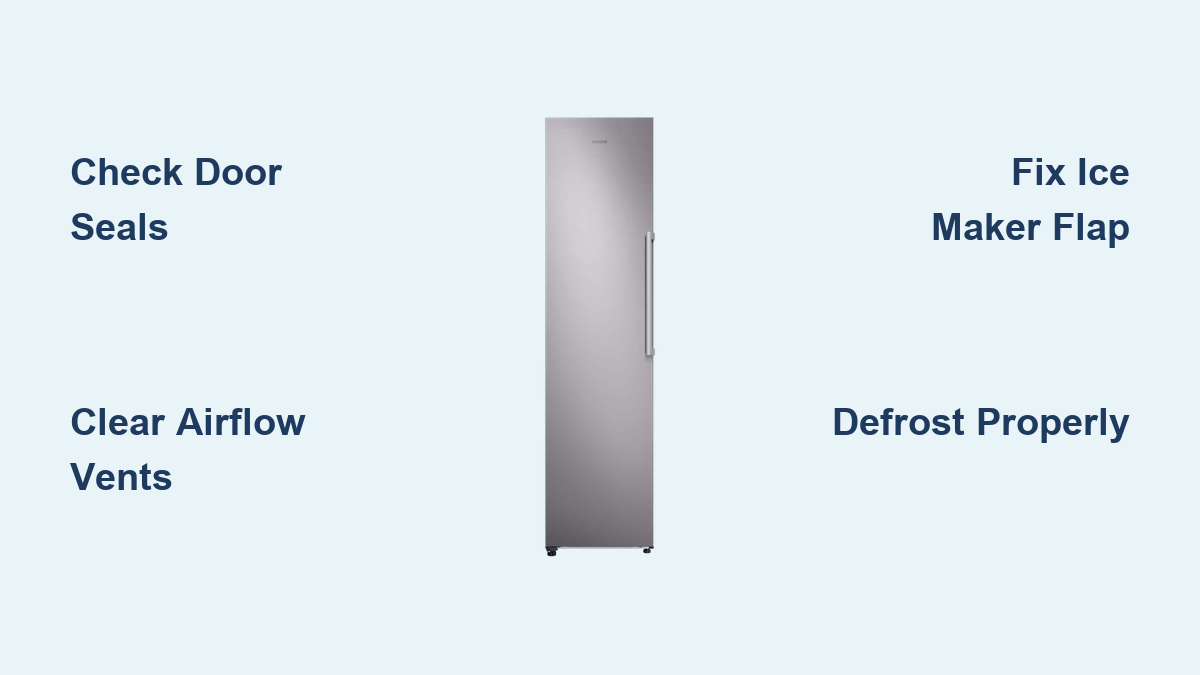
This guide walks you through the most common causes of Samsung freezer freezing up issues, provides step-by-step solutions you can perform yourself, and offers practical tips for preventing future frost accumulation. Most cases can be resolved without professional service by addressing door seals, ventilation, and the ice maker flap—components that frequently cause these problems when they malfunction or become obstructed.
Spot Frost Buildup Before It Worsens
Thick frost layers on freezer walls or floors signal that your Samsung appliance needs attention before minor issues become major repairs. Look for ice accumulating first in corners or along door edges where air circulation naturally weakens. If you notice your freezer drawers becoming increasingly difficult to open and close, this indicates ice has begun forming along their tracks—a clear sign that frost accumulation has reached problematic levels.
Check these critical warning signs:
– Food items fusing together through ice formation
– Packaging tearing when removing frozen items stuck to walls
– Noticeable reduction in available storage space
– Unusually frequent or prolonged compressor running cycles
– Temperature fluctuations affecting the refrigerator compartment above
When frost begins interfering with normal operation, the freezer must work harder to maintain proper temperatures. This extra strain not only increases your electricity bill but can shorten your appliance’s lifespan. Catching these symptoms early allows you to address the root cause before the problem escalates to the point where professional service becomes necessary.
Fix Faulty Door Seals in 10 Minutes
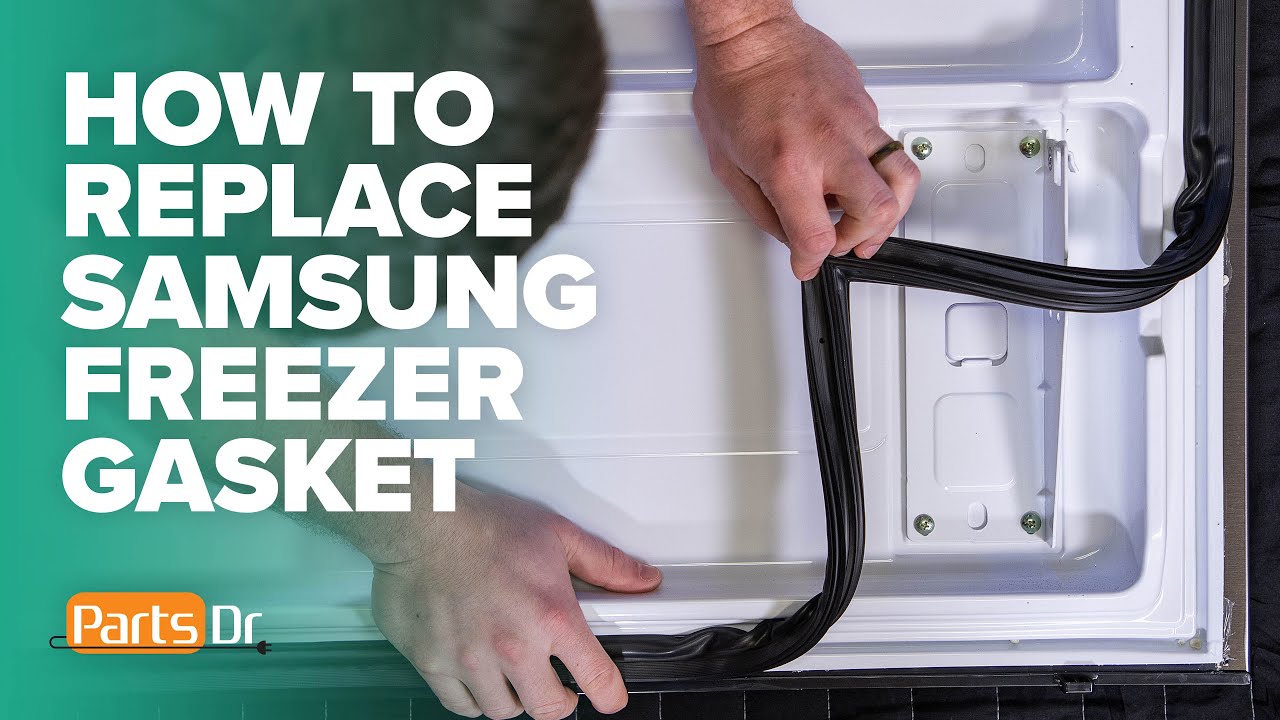
Your Samsung freezer door gasket should create a perfect seal every time you close the door—any gap allows humid air to invade the cold environment and form frost. Start by performing Samsung’s recommended dollar bill test: place a bill halfway in the door seal, then close the door. If you can pull the bill out with minimal resistance, your gasket has lost its sealing ability and needs attention.
Inspect the entire gasket perimeter for cracks, tears, or areas where the rubber has become stiff and brittle. Pay special attention to corners where gaskets often pull away from the door frame. Clean the gasket thoroughly using a soft cloth dampened with a solution of one tablespoon baking soda dissolved in one quart of warm water. Avoid harsh chemicals that can degrade the rubber material over time.
When to replace versus repair:
– Replace immediately if you find punctures, deep cracks, or sections where the gasket has separated from the door
– Try warming stiff gaskets with a hair dryer on low setting to restore flexibility before replacement
– Apply a thin coat of petroleum jelly to clean gaskets monthly to maintain flexibility and sealing ability
A properly functioning gasket should resist firmly when you try to pull the dollar bill free. If cleaning and conditioning don’t restore the seal, order a genuine Samsung replacement gasket specific to your model number for best results.
Unblock Critical Airflow Pathways Immediately
Samsung’s cooling system depends on unobstructed air vents to maintain proper temperature distribution throughout your freezer. When packages or containers block these vents—especially the critical rear wall vent—the resulting airflow disruption creates perfect conditions for frost to form in specific areas while other spots remain too warm.
Open your freezer and check for items placed directly against the back wall. Even partial obstruction of the rear vent can dramatically reduce cooling efficiency. Rearrange contents to ensure at least two inches of clearance around all ventilation openings. Never stack items so high that they block the top vents or interfere with the freezer’s internal fan operation.
Proper freezer organization prevents 80% of airflow-related frost problems:
– Store frequently accessed items toward the front
– Keep bulky packages spaced apart rather than stacked
– Avoid placing containers directly in front of visible vents
– Check vent positions after each grocery restock
Take 30 seconds each time you load your freezer to verify nothing blocks the ventilation system. This simple habit prevents the temperature inconsistencies that lead to problematic frost accumulation.
Repair Stuck Ice Maker Flap Before Frost Spreads
The black ice maker flap on your Samsung freezer serves a critical function—it seals the ice chute when not in use to prevent warm air from entering. When this flap sticks open due to ice buildup or mechanical failure, it creates a direct pathway for humidity to flood your freezer, causing rapid frost formation around the ice maker assembly.
Open the left side freezer door (on side-by-side models) to access the ice maker compartment. Check whether the black flap lies completely flat against its housing when not dispensing ice. If you see gaps or the flap appears stuck in a partially open position, carefully remove any visible ice or debris using a plastic utensil—never metal, which could damage components.
Quick flap test: Press the ice dispenser button and watch the flap movement. It should snap shut immediately after dispensing stops. If it moves sluggishly or doesn’t close completely, clean around the flap mechanism with a soft cloth dampened with warm water. If the problem persists after cleaning, the flap assembly likely needs replacement.
Defrost Your Samsung Freezer Safely in 2 Hours
When frost has already accumulated to ¼ inch or more, you’ll need to perform a manual defrost to restore proper operation. Begin by transferring all frozen food to coolers with ice packs. Unplug the refrigerator or turn it off at the circuit breaker—don’t just use the control panel settings.
Place several bowls of hot (not boiling) water inside the empty freezer and close the door. The steam will accelerate melting without risking damage to interior components. Never use sharp objects to chip ice—this can puncture refrigerant lines. Replace the water every 15-20 minutes until most ice has melted.
Wipe down all interior surfaces with dry towels once melting completes, paying special attention to corners and drainage channels. Allow the compartment to air dry completely before plugging the unit back in. Wait at least two hours for temperatures to stabilize before reloading food.
Adjust Samsung Temperature Settings for Perfect Performance
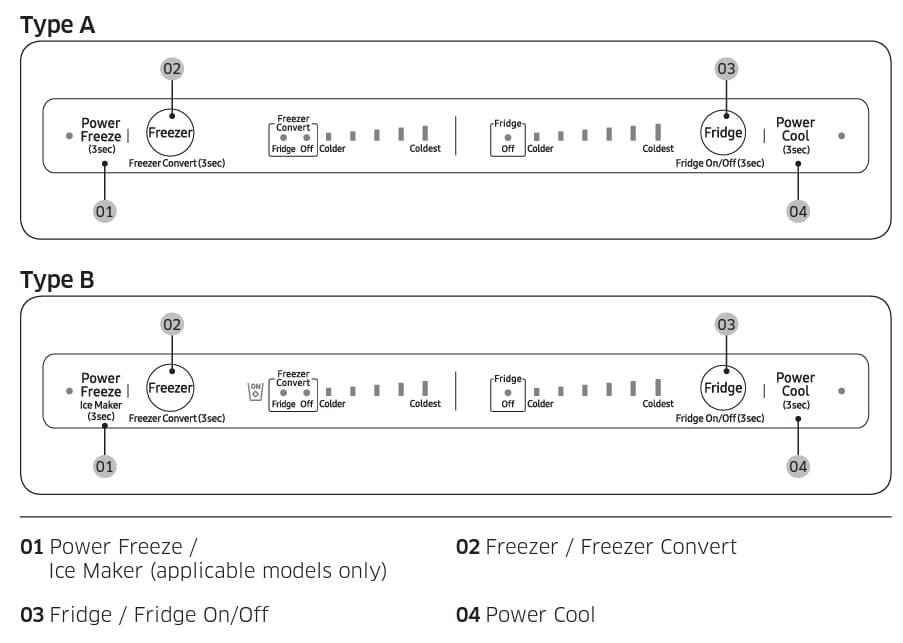
Incorrect temperature calibration often contributes to freezing problems in ways you might not expect. If food in your refrigerator compartment is freezing, your temperature setting is likely too low—raise it by 2-3 degrees. Conversely, if you notice condensation freezing on the refrigerator floor, your temperature is probably too high—lower it incrementally.
Samsung recommends 37-40°F for the refrigerator and 0-5°F for the freezer, but your ideal settings may vary based on kitchen humidity and usage patterns. Use standalone refrigerator thermometers in both compartments to verify actual temperatures, as display readings can be inaccurate.
Seasonal adjustment tips:
– Increase freezer temperature by 2-3 degrees during humid summer months
– Decrease refrigerator temperature slightly during holiday seasons when door opens frequently
– Allow 24 hours between adjustments to assess their impact
Prevent Humidity Damage in High-Moisture Environments
If you live in a humid climate, expect some normal frost accumulation even with a perfectly functioning Samsung freezer. Combat this by minimizing door-open time—plan what you need before opening the freezer. Install a dehumidifier in your kitchen during particularly humid seasons to reduce ambient moisture.
Never leave the freezer door open while deciding what to take out. Train household members to open the door, retrieve items immediately, and close it firmly. This simple habit prevents the majority of humidity-related frost problems in homes with average to high ambient moisture levels.
Monthly Maintenance Routine That Prevents Frost
Establish these simple monthly habits to keep your Samsung freezer operating frost-free:
– Test door seals using the dollar bill method
– Wipe down gaskets with baking soda solution
– Check ice maker flap operation
– Verify proper food spacing for airflow
– Inspect for early frost formation in corners
During these checks, pay attention to unusual sounds from the freezer fan or compressor. Early detection of abnormal operation can prevent minor issues from developing into major frost problems that require professional service.
If you’ve addressed all these potential causes and still experience excessive frost buildup, contact Samsung support for assistance with potential defrost system component failures. Most frost issues resolve with these straightforward fixes, restoring your freezer to optimal performance without costly service calls.