How to Turn On GE Bottom Freezer Ice Maker
Nothing’s more frustrating than needing ice for a party or hot summer day only to discover your GE bottom freezer refrigerator isn’t producing any. The good news is that most GE bottom freezer models come with ice makers pre-installed, but they often ship in the “off” position to prevent water leakage during shipping. Whether you’ve just installed a new refrigerator, moved into a home with existing appliances, or simply never activated this feature, turning on your GE bottom freezer ice maker takes just minutes once you know where to look. This guide provides the exact steps to get your ice maker running, explains what to expect during initial operation, and helps you troubleshoot common issues that prevent ice production.
Unlike top-freezer models where the ice maker is visible immediately upon opening the freezer, bottom freezer configurations require you to pull out the freezer drawer fully to access the ice maker assembly. Most GE bottom freezer refrigerators house the ice maker toward the back of the freezer compartment, either on the left or right side wall depending on your specific model. Before you begin, ensure your refrigerator has been plugged in and running for at least 24 hours to stabilize internal temperatures.
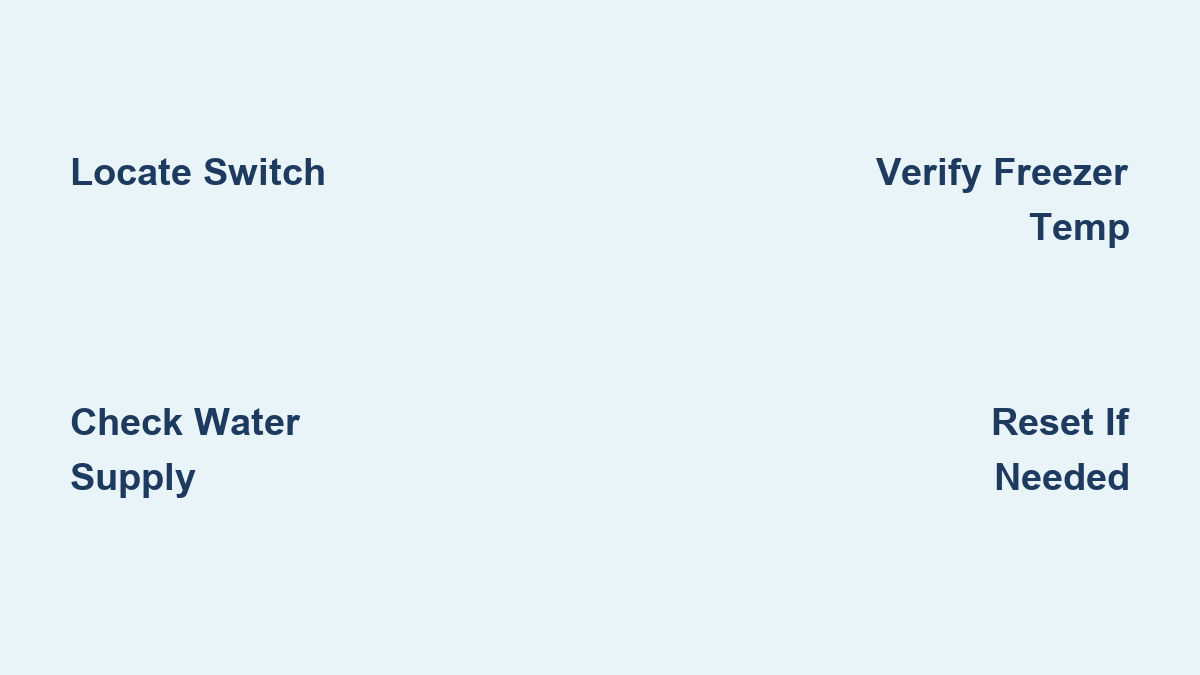
Find Your GE Ice Maker Control Switch Location
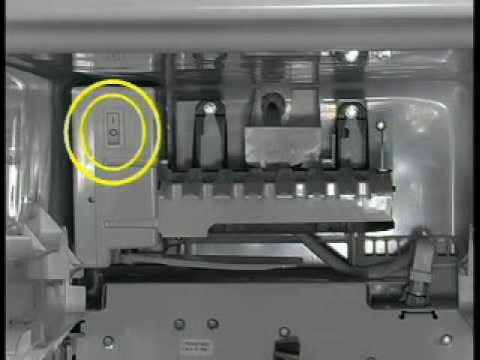
The activation process starts with locating your specific model’s ice maker control switch, which varies significantly across GE’s bottom freezer lineup. Open your freezer drawer completely and look along the interior walls near where the ice maker assembly protrudes. On most French door bottom freezer models like the GFE26JSMKES series, you’ll find a small plastic lever mounted directly on the ice maker housing near the top of the assembly. This lever typically slides between “On” and “Off” positions with a distinct click.
Some newer GE Profile and Café series models feature digital controls instead of physical switches. If your refrigerator has a touchscreen display on the front door, navigate to “Settings,” then “Ice Maker Options” to find the activation toggle. The exact menu path varies, but common locations include pressing the “Options” button followed by selecting “Ice Maker” from the submenu. If you see an ice cube icon on your display panel, pressing this icon usually toggles the ice maker on and off.
For models with physical switches, the control is often positioned just above the ice bucket itself. You may need to remove the ice bucket temporarily to access the switch easily. Look for a small lever marked with “I” (for “On”) and “O” (for “Off”) or a simple ice cube symbol. When properly engaged in the “On” position, the lever should sit flush against the ice maker housing rather than protruding outward.
Activate Your Ice Maker With Correct Technique
Once you’ve located the control switch, activating your GE ice maker requires only a simple movement. For lever-style switches, push the lever firmly toward the “I” or ice cube icon side until you hear a distinct click. Don’t force it – the switch should move smoothly with light pressure. If you encounter resistance, double-check that you’re pushing in the correct direction as some models have the “On” position facing inward rather than outward.
After activation, look for the indicator light near the switch that confirms your ice maker is operational. Most GE models illuminate a blue LED when the ice maker is active, though some use green or white lights. This light might remain steadily illuminated or begin a slow blinking pattern, both of which indicate proper activation. If you don’t see any light response, check that your freezer light is working and that the ice maker bucket is properly seated in its slot.
Wait approximately 30 seconds after activation before proceeding. During this time, you should hear a faint humming or clicking sound from the ice maker as it initializes its first cycle. This brief startup sequence confirms that electrical power is reaching the unit and that the control board has registered your activation command. If you hear no sounds after activation, the ice maker may require additional troubleshooting before it will operate.
Confirm Water Supply Is Properly Connected
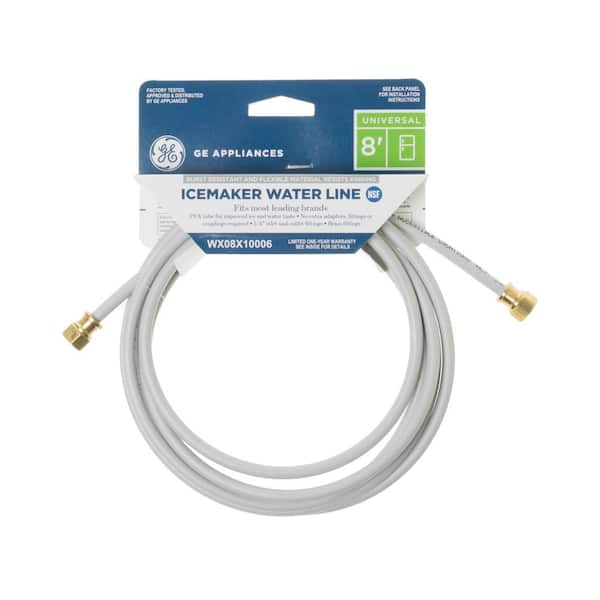
No amount of activation will produce ice without adequate water supply to your GE refrigerator. Locate the water supply line behind your refrigerator where it connects to the household plumbing. The connection should be tight with no visible leaks, and the flexible tubing should run straight without kinks or sharp bends that would restrict water flow. If you installed the refrigerator yourself, verify that the shutoff valve under your sink is fully open.
Test your water dispenser on the refrigerator door to confirm water is flowing properly to the unit. Press and hold the dispenser paddle for 10 seconds while observing the water flow. A steady, strong stream indicates proper water pressure (at least 20 PSI), while a weak trickle suggests a supply issue that will prevent ice production. If water dispenses normally but your ice maker remains inactive, the problem likely lies elsewhere in the ice maker system.
Check that the water filter is properly installed and not expired. Most GE bottom freezer models have filters located in the refrigerator compartment near the top. A clogged or missing filter can trigger the refrigerator’s safety system to disable the ice maker. Replace filters every six months or according to your model’s recommendations to maintain proper water flow to the ice maker.
Ensure Freezer Temperature Meets Ice Production Requirements
Your GE ice maker won’t begin producing ice until the freezer temperature drops to the proper range of 0-5°F (-18 to -15°C). Place an independent thermometer in the center of your freezer compartment to verify the actual temperature, as the digital display may not reflect precise conditions. Allow at least 24 hours for the freezer to stabilize at the correct temperature after initial activation before expecting ice production.
If your freezer temperature reads above 10°F, investigate potential causes before expecting ice production. Check that the door seals create a tight closure by performing the dollar bill test – close the freezer drawer on a dollar bill and verify you feel resistance when pulling it out. Inspect the condenser coils at the back or bottom of the refrigerator for dust buildup that could restrict airflow and cooling efficiency.
Avoid overloading your freezer with warm items immediately after activation, as this raises internal temperatures and delays ice production. Allow the refrigerator to run undisturbed for the first 24 hours to establish stable operating conditions. Most GE models require this stabilization period before the ice maker will initiate its first cycle.
Recognize Normal Initial Ice Production Patterns
After proper activation with adequate water supply and correct freezer temperature, expect to wait approximately 24 hours before seeing your first batch of ice cubes. During this initial period, the ice maker completes several test cycles to verify proper operation. The first few batches may produce cloudy or irregularly shaped ice cubes due to air in the water lines, which clears up after 2-3 production cycles.
Most GE bottom freezer ice makers produce 100-130 cubes per 24-hour period under optimal conditions. The ice maker operates in cycles: filling the mold with water, freezing the water for approximately 90 minutes, then ejecting the cubes into the storage bucket. When the bucket fills to capacity, the ice maker automatically shuts off until you remove enough ice to trigger production again.
If you need ice sooner, you can manually add approximately 1/4 cup of water directly to the ice maker mold after activation. This jump-starts the first freezing cycle, potentially producing your initial batch in as little as 90 minutes. However, this step isn’t necessary for standard operation and most users simply wait the recommended 24 hours for automatic production to begin.
Diagnose Ice Maker Indicator Light Signals
Understanding your GE ice maker’s indicator light patterns helps confirm proper operation or identify issues quickly. A steady blue light typically indicates normal operation and that the ice maker is actively producing ice or ready to begin its next cycle. On some models, this light only illuminates during active production cycles rather than remaining constantly lit.
A slowly blinking blue light usually means the ice maker is in the process of making ice or is about to begin a new cycle. This is completely normal operation and indicates your ice maker is functioning correctly. However, rapidly flashing lights or lights changing colors often signal specific problems – such as a water supply issue (rapid red flashes) or temperature problems (alternating blue/red).
If your indicator light remains off after activation but water dispenses normally, check that the ice bucket is properly seated in its slot. Many GE models have a safety switch that disables the ice maker if the bucket isn’t correctly positioned. Simply removing and reinserting the bucket often resolves this common issue.
Fix Common Ice Maker Activation Failures
When your activated ice maker fails to produce ice despite proper setup, several issues could be responsible. A frozen water line is common in newly installed refrigerators where the water line wasn’t properly flushed before activation. Locate the water inlet valve at the back of your refrigerator and feel the tubing for ice buildup. If frozen, use a hair dryer on low heat to thaw the line gradually.
A malfunctioning water inlet valve may prevent water from reaching the ice maker even when the switch is activated. Listen for a distinct clicking sound from the rear of the refrigerator when the ice maker should be filling with water. No click suggests electrical failure, while a click without water flow indicates mechanical valve failure requiring replacement.
If your ice maker shows no signs of life after activation (no lights, no sounds), check that the freezer drawer is fully closed. Many GE models have a safety switch that disables the ice maker when the drawer isn’t completely closed. Also verify that the ice maker bucket isn’t overfilled with ice, as this triggers the automatic shutoff mechanism.
Reset Your GE Ice Maker After Activation Issues
If your ice maker was previously working but stopped after activation, or if initial activation fails, perform a manual reset. Turn off the ice maker using the control switch, unplug the refrigerator for five minutes, then restore power and turn the ice maker back on. This power cycle resets the control board and clears any temporary error codes.
Some GE models require a specific reset sequence through the control panel. Look for a “Reset” option under the ice maker settings menu, or try pressing and holding both the “Lock” and “Light” buttons simultaneously for five seconds. Consult your owner’s manual for model-specific reset procedures, as they vary across GE’s product line.
After resetting, allow another 24 hours for ice production to begin. The reset process clears previous cycle data, so the ice maker must restart its production sequence from the beginning. Avoid resetting repeatedly within short timeframes, as this can confuse the control system and delay normal operation.
Maintain Your Ice Maker for Reliable Performance
Once operational, maintain consistent ice production by keeping your freezer temperature stable between 0-5°F and replacing the water filter every six months. Clean the ice bucket monthly with mild soap and warm water to prevent mold and bacterial growth that affects ice quality. Wipe down interior surfaces around the ice maker to remove frost buildup that could interfere with operation.
Check the ice maker’s ejector blades periodically for obstructions that might prevent proper cube ejection. If you notice reduced ice production or unusually small cubes, verify that your water pressure remains adequate (at least 20 PSI) and that the water filter isn’t clogged. Most GE refrigerators have a water pressure indicator light that illuminates when pressure falls below operational levels.
Before extended vacations or periods when you won’t need ice, turn off the ice maker using the control switch to prevent potential overflow or stale ice. Remember to reactivate it at least 24 hours before you’ll need fresh ice again to ensure proper production timing.
Turning on your GE bottom freezer ice maker successfully requires proper activation, adequate water supply, correct temperature conditions, and patience during initial operation. By following these specific steps for your model and maintaining regular care, you’ll enjoy consistent ice production for years to come. Remember that the first 24 hours are critical for establishing proper operation – if your ice maker still isn’t producing after this period despite verifying all connections and settings, professional service may be needed.