How to Change LG Freezer Temperature
Your LG freezer keeps food frozen efficiently, but temperature adjustments may be needed when storing large quantities of fresh food, experiencing seasonal temperature changes, or noticing inconsistent freezing performance. Knowing exactly how to change LG freezer temperature settings ensures optimal food preservation while maintaining energy efficiency. This comprehensive guide walks you through the precise methods for adjusting your specific LG refrigerator model—whether you have digital controls, manual dials, or smart WiFi connectivity.
Understanding your freezer’s temperature system prevents food spoilage and wasted energy. Most LG freezers should maintain temperatures at 0°F (-18°C) or below for safe long-term storage, but circumstances like holiday entertaining or garage installations may require temporary adjustments. By mastering your model’s specific temperature controls, you gain complete control over your frozen food environment without making common adjustment mistakes that lead to frost buildup or excessive energy use.
Locate Your LG Freezer Control Panel
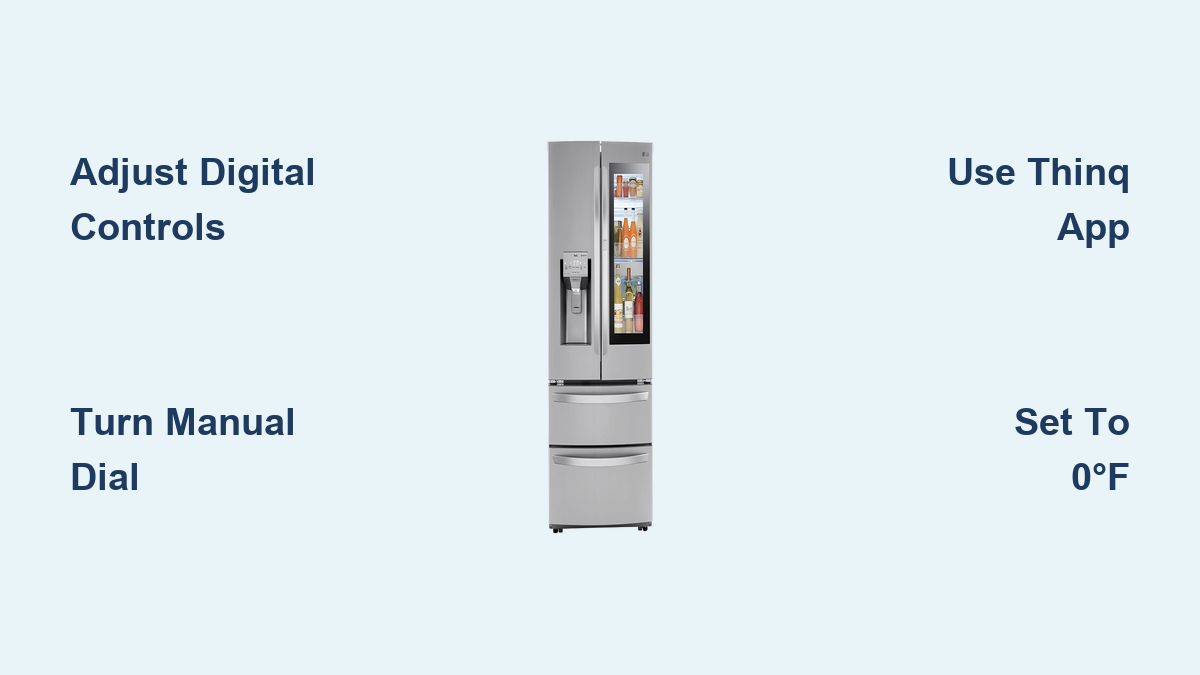
Finding the right temperature controls on your LG refrigerator depends entirely on your specific model type. Most LG units feature temperature adjustment through one of three interface styles: front digital displays for modern French door models, interior mechanical dials for older units, or smartphone app connectivity for WiFi-enabled smart refrigerators. Identifying your control type prevents frustration and ensures you make adjustments correctly the first time.
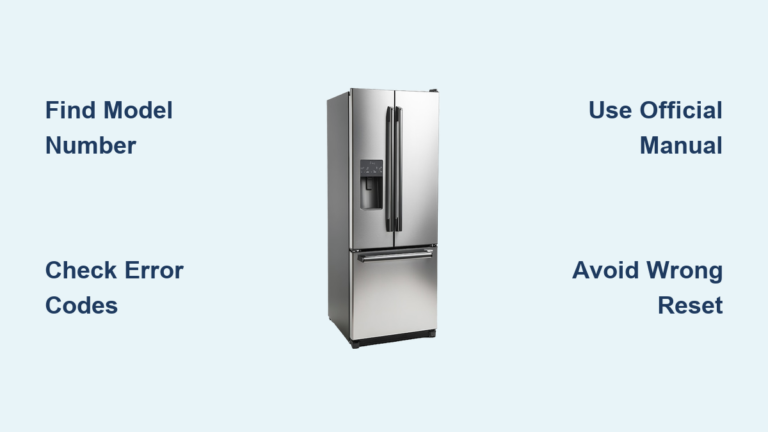
French door refrigerator models typically house digital temperature controls on the front panel above the ice and water dispenser. These touch-sensitive interfaces display current temperatures for both compartments and allow precise adjustments in one-degree increments. When you press the “Freezer” button, the display changes to show the current freezer temperature, usually between -5°F and 5°F from the factory default setting. Some models require pressing and holding the button for two seconds to activate temperature adjustment mode before using the +/- controls.
Side-by-side and top-freezer LG models often feature either external digital panels near the ice dispenser or traditional mechanical dials inside the freezer compartment. If your unit has a mechanical dial, check the back wall near the top—sometimes concealed behind a small access panel. These dials typically range from 1 (warmest) to 7 (coldest), with 3-4 being the factory default setting. Unlike digital models, mechanical controls don’t display actual temperatures but rather regulate cooling intensity through compressor run time.
Smart Refrigerator Control Identification
WiFi-enabled LG refrigerators connect to the ThinQ mobile app, allowing remote temperature adjustments from your smartphone. To confirm if your model supports this feature, look for “ThinQ” branding on the front panel or check your model number against LG’s smart appliance list. Smart models display WiFi connectivity status on the control panel and feature additional settings for remote access. If your refrigerator has this capability, downloading the ThinQ app before making temperature adjustments provides valuable monitoring features beyond basic control.
Adjust Digital Temperature Settings Properly
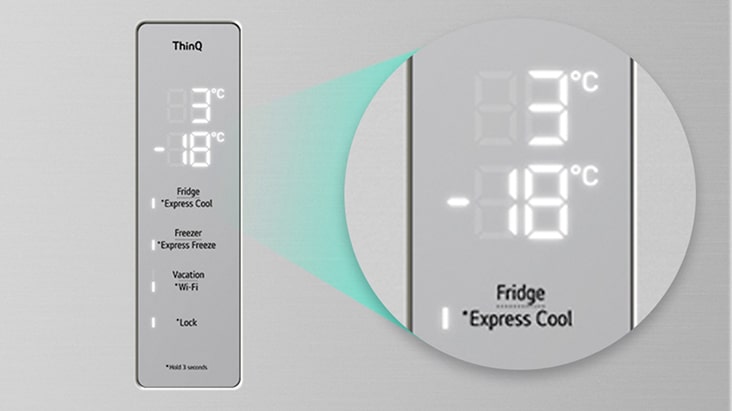
Digital control panels provide the most precise temperature management for your LG freezer. These interfaces allow you to set exact temperatures rather than relying on arbitrary dial positions, giving you greater control over your frozen food environment. Proper adjustment technique prevents overshooting your target temperature and wasting energy.
Step-by-Step Digital Adjustment Process
- Activate freezer control mode by pressing the “Freezer” button on your front panel (may require a two-second press on some models)
- Observe current temperature displayed on the panel—most LG freezers show actual degrees Fahrenheit
- Press the up/down arrows to increase or decrease temperature in one-degree increments
- Wait for display confirmation—most models beep or flash when changes are registered
- Allow 24 hours for temperature stabilization before making further adjustments
Common mistakes include setting temperatures too low (-5°F or below) which increases energy consumption without food safety benefits, or making multiple rapid adjustments before the system stabilizes. Most LG freezers operate most efficiently between -2°F and 2°F, with 0°F being the USDA-recommended safe temperature for long-term food storage.
Modify Manual Dial Controls Correctly

Older LG refrigerator models use mechanical temperature dials inside the freezer compartment for temperature control. These simple, reliable systems require different adjustment techniques than digital models to achieve optimal performance without overworking your appliance.
Manual Dial Adjustment Guidelines
- Rotate clockwise for colder temperatures (higher numbers)
- Rotate counterclockwise for warmer settings (lower numbers)
- Start at factory setting (usually 3-4 on a 1-7 scale)
- Adjust in single-number increments for gradual changes
- Wait 24 hours between adjustments for temperature stabilization
Unlike digital controls, manual dials don’t display actual temperatures but regulate how frequently the compressor runs. Setting the dial to maximum (7) doesn’t necessarily produce the coldest possible temperature—it may instead cause excessive frost buildup and energy waste. Many users find their optimal setting between 4-5, providing sufficient coldness without overworking the system. If your freezer develops excessive frost after adjustment, turn the dial down one setting to reduce humidity freezing on food surfaces.
Control Temperature Remotely with LG ThinQ App
Smart LG refrigerators with WiFi connectivity offer advanced temperature management through the ThinQ mobile application. This feature proves invaluable when monitoring freezer conditions while away from home or making precise adjustments without opening the freezer door.
ThinQ App Temperature Control Steps
- Ensure your refrigerator is connected to your home WiFi network
- Open the ThinQ app and select your refrigerator from connected devices
- Tap the freezer temperature display to activate adjustment controls
- Use the slider or +/- buttons to set your desired temperature
- Confirm changes and monitor temperature stabilization through the app
The ThinQ app provides additional benefits beyond basic temperature adjustment. You’ll receive alerts if temperatures rise outside safe ranges, view historical temperature data to identify patterns, and access troubleshooting guides for common issues. During extended vacations, you can temporarily adjust temperatures to save energy while ensuring your freezer maintains safe conditions for any remaining contents.
Set the Optimal Freezer Temperature for Your Needs
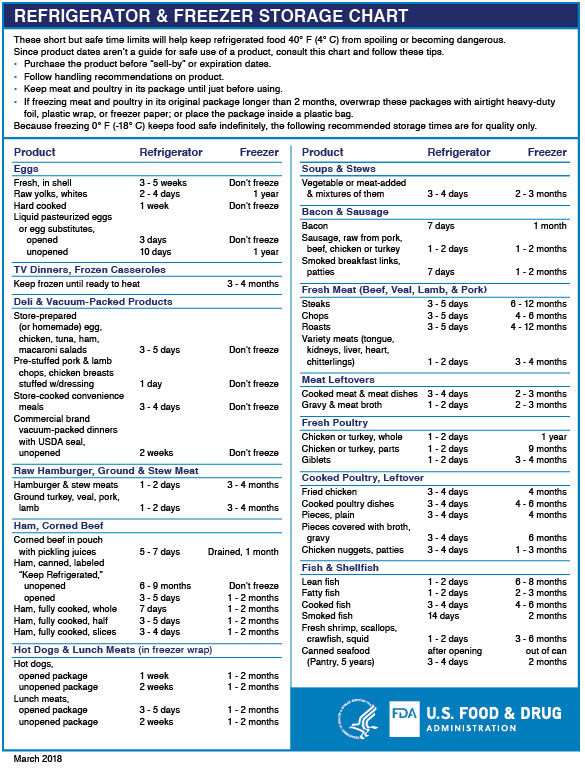
Selecting the right temperature involves balancing food safety requirements with practical household needs. The USDA recommends maintaining freezers at 0°F (-18°C) or below to prevent bacterial growth and preserve food quality indefinitely for properly packaged items.
Temperature Recommendations by Situation
- Standard household use: 0°F to -2°F (optimal safety and efficiency balance)
- Heavy usage periods (holidays, parties): Temporarily set to -3°F to compensate for frequent door openings
- Garage installations in cold climates: Adjust to colder setting as ambient temperatures drop below 50°F
- After adding large quantities of unfrozen food: Set 2-3 degrees colder until items are fully frozen
Setting your freezer significantly below 0°F increases energy consumption without providing additional food safety benefits. If you notice excessive frost on food packaging, your temperature may be too cold, causing moisture to freeze before it evaporates from containers. Conversely, temperatures above 5°F may lead to ice crystal formation on food surfaces, indicating inadequate freezing.
Troubleshoot Common Temperature Problems
Even with proper settings, LG freezers can experience temperature inconsistencies. Identifying and resolving these issues promptly prevents food spoilage and maintains optimal performance.
Temperature Fluctuation Fixes
- Check door seals for damage or debris preventing tight closure
- Clean condenser coils located at the bottom front of the unit
- Verify proper clearance around the refrigerator (minimum 1 inch from walls)
- Avoid overfilling the freezer compartment which blocks airflow
Excessive frost buildup typically indicates warm, humid air entering the freezer. Inspect door alignment and seal condition first, as even small gaps cause significant frost accumulation. If frost appears primarily on the back wall, the automatic defrost system may require professional service.
Maintain Consistent Freezer Performance
Regular maintenance habits help your LG freezer maintain stable temperatures while operating efficiently. Implement these practices to protect your food investment and extend appliance lifespan.
Essential Maintenance Practices
- Minimize door open time by knowing what you need before opening
- Check door closure after loading or unloading to ensure proper seal
- Leave space between items for proper air circulation
- Monitor temperature weekly using your control panel display
- Clean interior surfaces monthly to prevent odor buildup
Proper loading techniques significantly impact temperature consistency. Store frequently accessed items near the front while keeping less-used items toward the back. Avoid blocking air vents inside the freezer compartment, as obstructed airflow creates cold and warm spots throughout the unit.
Key Takeaways for Perfect LG Freezer Temperature Control
Adjusting your LG freezer temperature requires understanding your specific model’s control interface—whether digital display, manual dial, or smart app connectivity. For digital models, use the front panel controls to make precise one-degree adjustments, waiting 24 hours between changes for temperature stabilization. Manual dial models require rotating the interior control in single-number increments, starting from the factory default setting of 3-4.
Always maintain your freezer at 0°F or slightly below for optimal food safety, adjusting only when circumstances require compensation for increased usage or ambient temperature changes. Avoid common mistakes like setting temperatures too low, making multiple rapid adjustments, or ignoring door seal issues that cause temperature fluctuations.
When temperature problems persist despite proper adjustments and maintenance, professional service may be needed to address underlying mechanical or electronic issues. Understanding your LG freezer’s temperature control system empowers you to maintain ideal storage conditions while maximizing energy efficiency and appliance longevity. By following these guidelines, you’ll keep your frozen foods perfectly preserved while avoiding unnecessary energy consumption.