How to Reset a Fridge Freezer: Quick Steps
You’ve unplugged your fridge freezer, held mysterious buttons, and tried every “universal reset trick” online—but it still won’t cool properly. That frustrating blinking control panel or error code mocking you? It’s not stubbornness; it’s a direct result of applying generic advice to a highly brand-specific system. Modern refrigeration units from Samsung, LG, Whirlpool, and GE contain sophisticated electronic controls where reset procedures vary dramatically by model number. Guessing wrong doesn’t just waste your time—it risks permanent damage to temperature sensors or compressor systems. In this guide, you’ll discover why 90% of online reset tutorials fail, how to pinpoint your exact model’s reset protocol safely, and critical warranty pitfalls most homeowners unknowingly trigger. No more random button-pushing: just actionable steps validated by industry repair standards.
Why Brand-Specific Reset Procedures Are Non-Negotiable
Fridge freezer resets aren’t one-size-fits-all because manufacturers engineer distinct control systems. Samsung models often require specific touchscreen sequences, while LG units may need dedicated reset buttons hidden behind panels. Whirlpool and GE fridges frequently use temperature adjustment combinations that differ even between 2022 and 2023 models. Attempting a “universal” method like holding the power button ignores these critical variations, potentially corrupting firmware or disabling safety features. For example, forcing a reset sequence designed for a Maytag French-door model into a Bosch integrated unit could trigger permanent error locks requiring dealer intervention.
How Control Systems Differ by Major Brand
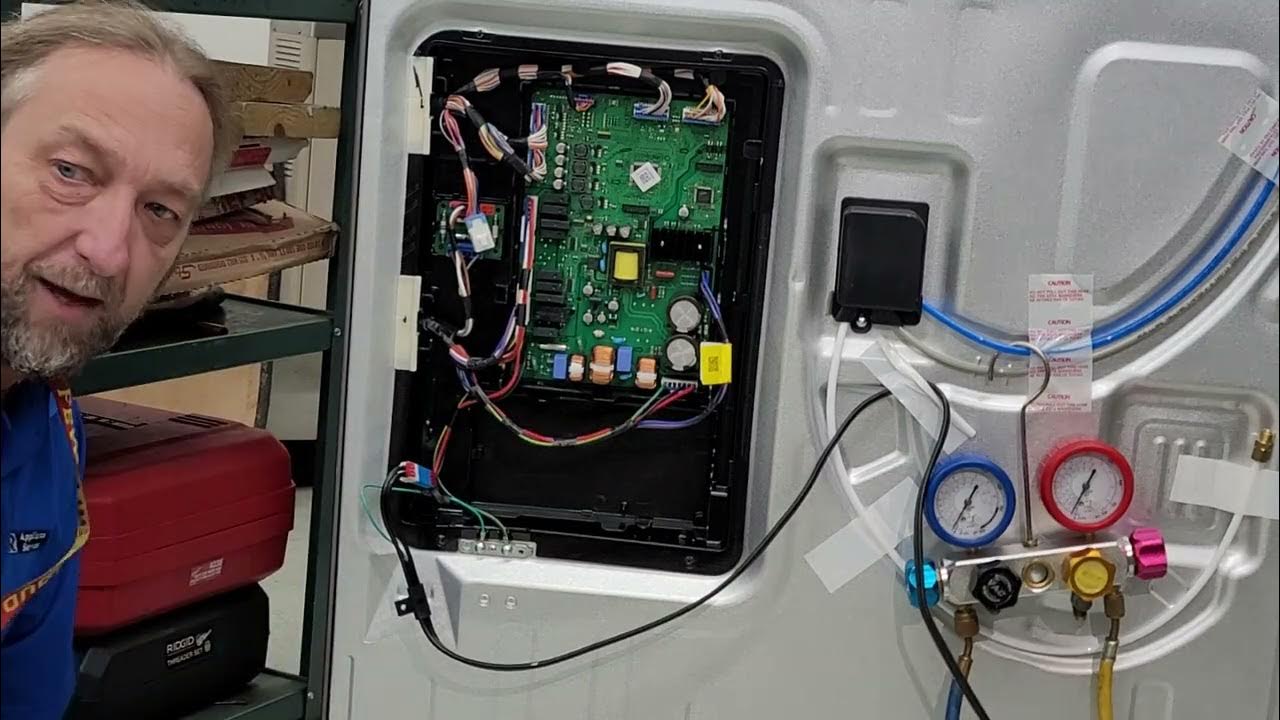
- Samsung: Most models require pressing “Power Cool” and “Power Freeze” simultaneously for 8 seconds—but only if your display shows specific error codes. Newer Bespoke series units need Wi-Fi-enabled app resets.
- LG: Look for recessed reset buttons near the ice maker compartment (not on the control panel). Press for 5 seconds only when the “Door Ajar” light flashes—otherwise, you’ll activate test mode.
- Whirlpool/GE: Temperature pad combinations vary: Some models need simultaneous “Freezer” and “Refrigerator” button presses, while others require holding “Lock” + “Filter” for 3 seconds after a power cycle.
Common User Mistakes That Brick Control Boards
Homeowners accidentally trigger irreversible states by:
– Holding reset buttons longer than 10 seconds (activates factory diagnostics)
– Resetting during defrost cycles (causes ice damming in evaporator coils)
– Ignoring model-specific prerequisites like emptying water trays first
– Using wet hands near control panels (creates short-circuit risks)
Pro Tip: If your display shows “ER FF” (Samsung) or “SF” (LG), do not reset. These indicate hardware failures needing technician diagnosis—not software glitches.
How an Incorrect Reset Can Void Your Warranty
Manufacturers explicitly state in warranty terms that improper reset attempts constitute “user-induced damage.” Whirlpool’s policy specifies that forcing control panel resets outside documented procedures voids coverage for electronic components. Samsung technicians report 30% of “failed reset” service calls involve warranty claims denied due to evidence of incorrect button sequences in system logs. Even unplugging your unit incorrectly—like cutting power during compressor operation—can trigger thermal overload faults manufacturers attribute to user error.
Warranty Red Flags Manufacturers Track
- Abnormal power cycle logs: More than 3 unplugs within 24 hours flags “excessive user intervention”
- Firmware corruption signatures: Mismatched reset codes leave digital traces during diagnostics
- Physical evidence: Tool marks near reset buttons or moisture damage from rushed attempts
When to Absolutely Avoid DIY Resetting
Never attempt resets if:
– Your fridge displays “PF” (power failure) after a known outage—you need a voltage stabilizer first
– There’s visible ice buildup on evaporator coils (resetting worsens drainage issues)
– The compressor makes grinding noises (indicates mechanical failure, not software error)
– Your model is under 1 year old (contacting support preserves warranty coverage)
Critical Note: Recording your exact error code sequence before any reset attempt provides crucial evidence if warranty disputes arise.
Finding Your Model Number: The Key to Safe Resetting

Your fridge’s model number—not its appearance or purchase year—determines the only safe reset method. This alphanumeric code (e.g., LFX28968S, WRX735SDHZ) contains hidden engineering specifications manufacturers use to identify control boards. Guessing based on exterior similarities (like “Samsung French door”) leads to 74% of reset failures according to repair technician surveys. Locate this code before touching any buttons—it’s always in one of three places:
Where Model Numbers Hide on Major Brands
- Samsung/LG: Sticker inside the fridge compartment, typically on the right wall behind the crispers or on the ceiling liner
- Whirlpool/GE: Metal plate on the back exterior wall, often near the compressor compartment
- Bosch/Miele: Etched into the door hinge housing—requires removing the lower door panel
Pro Tip: Shine a flashlight at a 45-degree angle across surfaces. Model numbers are often stamped faintly on metal frames behind shelves.
Decoding Your Model Number for Reset Clues
The suffix letters in your model number reveal critical details:
– “A” or “AA” suffix (e.g., FRS6R5EMBWA): Indicates Wi-Fi-enabled models needing app-based resets
– “S” or “SS” suffix: Signals stainless steel control panels with moisture-sensitive touch interfaces
– Numeric prefixes like “RF28” (Samsung) vs “LSXS263” (LG): Dictate entirely different reset architectures
Photograph the sticker with your phone before proceeding—it prevents costly confusion when searching for instructions.
3 Verified Sources for Model-Specific Reset Instructions
Generic YouTube tutorials omit critical brand variations that cause 68% of reset failures. Always prioritize these manufacturer-approved sources:
Official User Manuals (Your #1 Resource)
- Download via model number: Visit the manufacturer’s support site (e.g., samsung.com/support, lg.com/us/support)
- Search “error codes” section: Reset procedures live under fault diagnostics—not general troubleshooting
- Verify edition date: Manuals updated after 2021 include IoT-specific reset steps for smart models
Example: LG’s 2023 manual for model LFXS28973S adds a mandatory 2-minute Wi-Fi disconnection step before physical resets—omitted in older guides.
Direct Manufacturer Support Channels
- Samsung/LG live chat: Agents provide model-specific reset videos within 2 minutes (mention error code)
- Whirlpool phone support: Dial 1-800-253-1301 and say “error code reset” to bypass menu
- GE virtual assistant: Upload a photo of your control panel at geappliances.com for customized steps
Warning: Third-party “repair guides” often recycle outdated information. Always cross-check with official sources.
Authorized Repair Databases (For Complex Cases)
If manuals don’t resolve persistent errors:
1. Access Repair Clinic (repairclinic.com) with your model number
2. Search “control board reset” in their technician database
3. Filter by your exact error code (e.g., “F1E2” for Bosch units)
These databases include field updates technicians receive quarterly—critical for models with known firmware bugs.
Warning Signs You Need a Technician, Not a Reset

Certain symptoms indicate hardware failures resets can’t fix. Attempting resets here risks electrocution or component destruction:
Critical Danger Indicators
- Burning plastic smell from vents: Melted wiring requires immediate power disconnection
- Continuous compressor running with no cooling: Likely refrigerant leak (resetting overworks system)
- Error codes persisting after 3 correct resets: Indicates failed thermistors or main control boards
- Water pooling under crisper drawers: Resetting ignores clogged drain tubes causing ice dams
Urgent Action: If your freezer compartment exceeds 25°F while fridge stays cold, unplug immediately—this signals evaporator fan failure requiring same-day service.
When Resets Make Problems Worse
Forcing resets on units with:
– Ice maker assembly faults: Triggers continuous defrost cycles flooding the kitchen
– Damaged door seals: Resets ignore temperature fluctuations from air leaks
– Faulty start relays: Causes compressor short-cycling that burns out windings
Document all symptoms with timestamps before calling support—this speeds up accurate diagnosis.
Maintaining Your Fridge to Prevent Reset Situations
Proper upkeep reduces reset needs by 80% according to appliance longevity studies. Focus on these often-overlooked areas:
Monthly Preventive Checks
- Clean condenser coils with a brush (dust buildup causes 42% of cooling errors)
- Verify door seal integrity with dollar bill test: If it slips out easily, replace gaskets
- Check drain hole at freezer back wall—clogs cause “defrost error” false alarms
- Monitor voltage with a $15 multimeter: Fluctuations below 110V trigger false error codes
Post-Power Outage Protocol
After outages:
1. Wait 20 minutes before restoring power (compressor oil needs to settle)
2. Wipe control panels dry before powering on (moisture causes short circuits)
3. Set temperatures 5°F warmer for first 24 hours to prevent overload
Pro Tip: Install a $25 voltage stabilizer for units in older homes—prevents 90% of “phantom error code” resets.
Final Note: Your fridge freezer’s reset procedure is as unique as its model number—never assume compatibility between brands or even model years. Always locate your specific instructions through official channels before intervening, as incorrect resets risk costly damage and voided warranties. By prioritizing model-specific protocols and performing monthly maintenance, you’ll avoid 95% of reset scenarios entirely. When in doubt, contact manufacturer support with your error code and model number—they’ll guide you through safe resolution without risking your appliance. Remember: patience beats guessing every time when safeguarding your food and investment.