How to Turn Off Sub Zero Freezer
Have you ever needed to safely power down your Sub-Zero freezer for cleaning, maintenance, or extended absence? Many homeowners struggle with this simple task, often pressing random buttons or worse—pulling the plug without proper preparation. Improper shutdown can lead to temperature fluctuations that compromise food safety or even damage your investment. This guide delivers precise, model-specific instructions to safely turn off your Sub-Zero freezer without risking performance issues when you restart it. You’ll learn the correct shutdown sequence for your specific model, discover how to use vacation mode properly, and understand critical safety steps most owners overlook.
Locating Your Sub-Zero Freezer Control Panel
Before attempting to power down your Sub-Zero freezer, you must identify where the controls are located. Unlike standard freezers, Sub-Zero models vary significantly by series and installation type, making control placement the first hurdle most users encounter.
Built-In Sub-Zero Freezer Control Locations
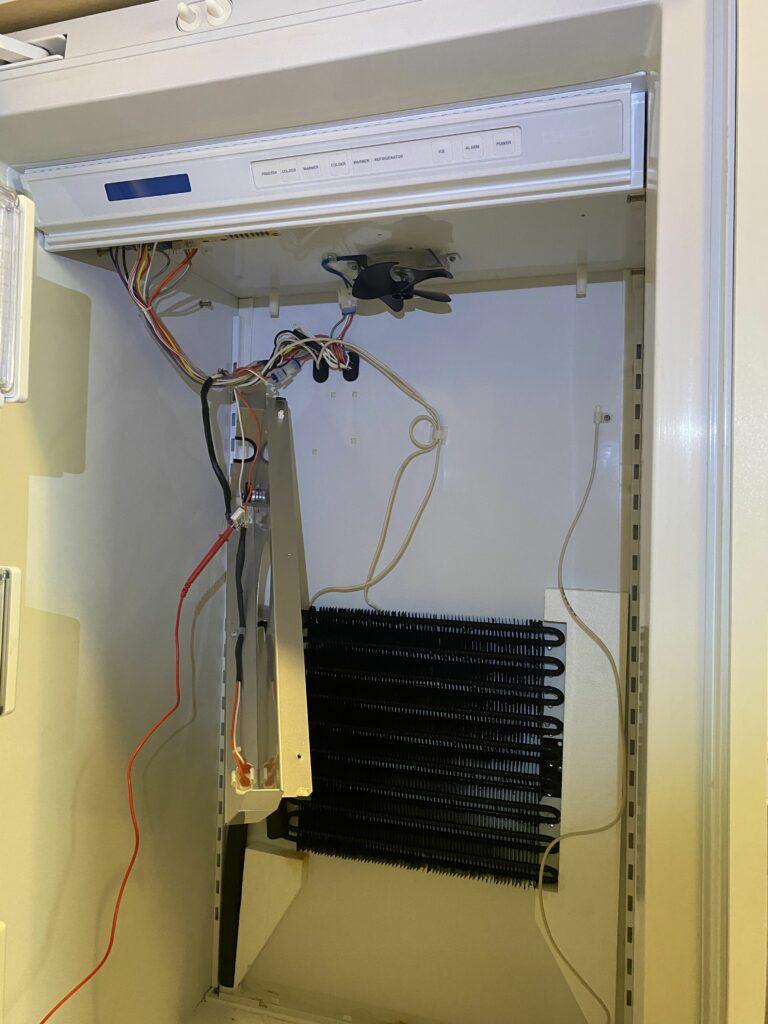
For traditional built-in Sub-Zero freezers (models 601, 650, etc.), the primary control panel sits behind the interior grille at the top of the freezer compartment. You’ll need to remove the air grille by gently pulling it downward to access the digital display and control buttons. This hidden placement protects controls from accidental changes but creates confusion when owners can’t find how to adjust settings.
Integrated Column and PRO Series Control Interfaces
Newer Sub-Zero PRO series units (PBI36, PBI24) and integrated column models feature front-facing touch controls on the door’s interior. Look for a discreet digital panel near the top hinge area—often backlit but easily missed if you’re accustomed to traditional dials. These models typically have a dedicated “Power” button rather than requiring menu navigation to shut down.
Top-Mount Freezer Models and Special Configurations
For Sub-Zero units with top-mounted freezers (like the BI-36FTH), controls are usually on the freezer door’s interior, but some older models require using the refrigerator section’s controls to affect freezer functions. Always verify your specific model number before proceeding, as improper shutdown procedures can trigger error codes.
Step-by-Step Sub-Zero Freezer Shutdown Procedure
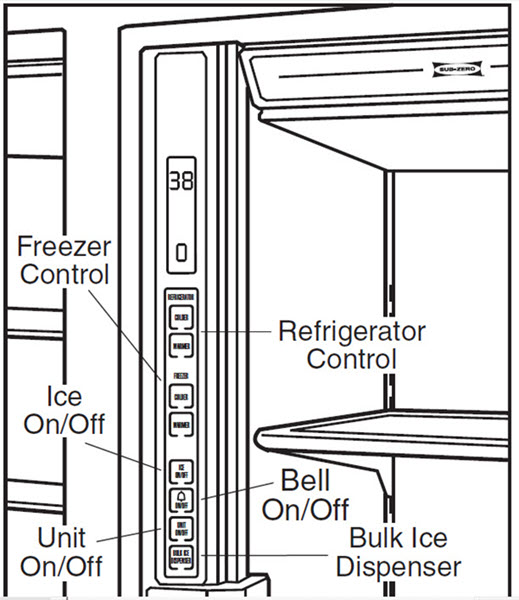
Knowing where your controls are located is only half the battle—you need the precise sequence to safely power down your unit without triggering system errors or compromising food safety during the transition period.
Standard Power-Down Sequence for Most Models
- Remove all perishable items from your freezer (allow 24 hours for gradual temperature rise if possible)
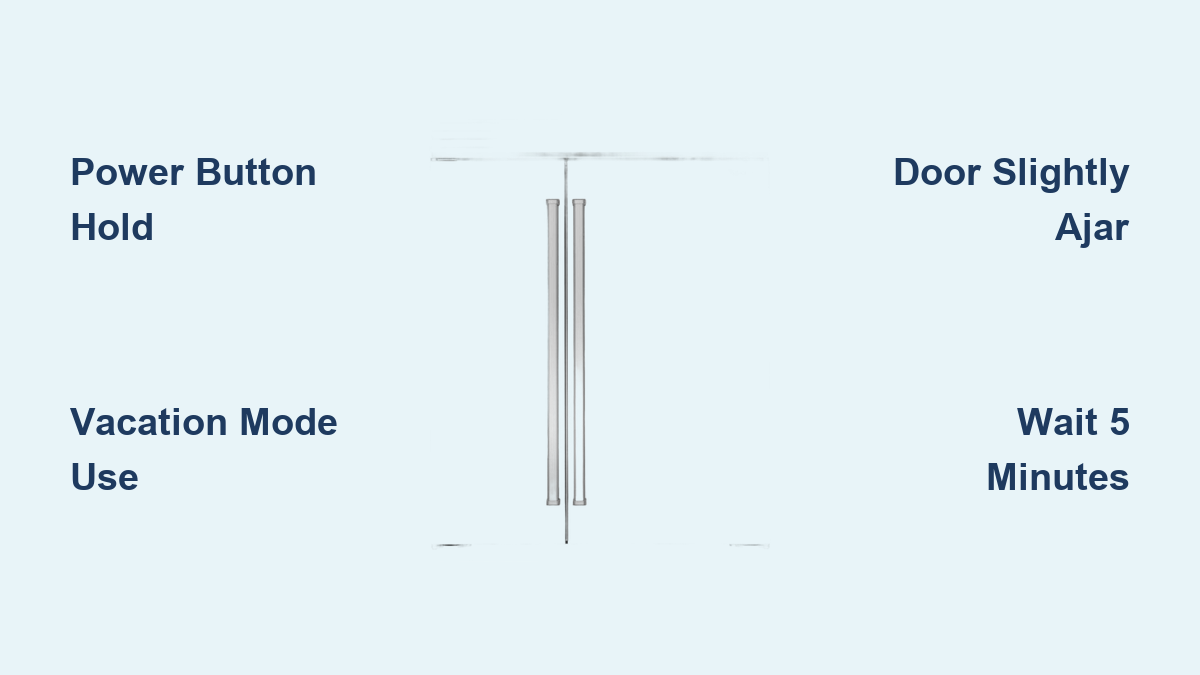
- Press and hold the “Power” button for 3-5 seconds until the display goes dark
- For models without dedicated power button: Navigate to Settings > System Off
- Verify complete shutdown by checking that the internal light turns off
- Wait 5 minutes before disconnecting power to allow system stabilization
Critical Pre-Shutdown Preparations
Never skip these essential steps before turning off your Sub-Zero freezer:
– Clear the interior completely – Leaving food inside during extended shutdown causes spoilage and odor issues
– Wipe down all surfaces – Prevent mold growth during inactivity with a vinegar-water solution
– Leave the door slightly ajar – Use a rolled towel to maintain 2-3 inch gap for air circulation
– Remove drawers and shelves – Prevents moisture trapping and makes reactivation easier
Using Vacation Mode Instead of Full Shutdown
For absences under 30 days, Sub-Zero’s vacation mode maintains minimal operation while saving energy—far preferable to complete shutdown for most temporary situations.
Activating Vacation Mode on Digital Models
- Press the “Settings” button on your control panel
- Scroll to “Vacation Mode” using arrow keys
- Press “Enter” to activate (display will show “VC”)
- Verify temperature stabilizes at 20°F (-7°C) within 24 hours
Vacation Mode Benefits Over Complete Shutdown
Vacation mode keeps critical components lightly active while reducing energy consumption by approximately 30%. Unlike full shutdown, it prevents:
– Condensation buildup in hidden compartments
– Seal deterioration from prolonged inactivity
– Extended recovery time when returning home
– Potential lubricant settling in the compressor
Model-Specific Shutdown Variations You Must Know
Not all Sub-Zero freezers power down the same way—critical differences exist between series that could lead to error codes if ignored.
PRO Series (PBI, PBi) Shutdown Protocol
These premium units require a specific sequence to avoid triggering service alerts:
1. Press “Settings” twice
2. Select “System Control”
3. Choose “Standby Mode” (not “Power Off”)
4. Confirm with “Enter” for 3 seconds
5. Wait for confirmation beep before disconnecting power
Traditional Built-In Models (200-900 Series)
Older integrated units need additional steps:
1. Access control panel behind upper grille
2. Press and hold “Alarm Reset” and “Temperature Up” simultaneously for 8 seconds
3. Wait for display to flash “OFF”
4. Press “Alarm Reset” once to confirm
5. Disconnect power at circuit breaker (not just unplugging)
Emergency Power-Off Situations
Sometimes immediate shutdown is necessary due to leaks, electrical issues, or other emergencies where standard procedures aren’t practical.
Immediate Disconnect Protocol
- Locate your home’s circuit breaker for the Sub-Zero unit
- Switch off the dedicated 20-amp circuit (never unplug while operating)
- Leave doors closed until power can be restored within 4 hours
- If extended outage expected, transfer food to coolers with dry ice
- Never attempt to restart within 15 minutes of power loss to prevent compressor damage
Post-Emergency Recovery Steps
After unexpected shutdowns:
– Allow 24 hours for temperature stabilization before restocking
– Monitor for unusual noises during first 48 hours of operation
– Check door seals for proper adhesion after temperature cycling
– Verify internal temperature reaches -10°F within 72 hours
Common Shutdown Mistakes That Damage Sub-Zero Freezers
Many well-intentioned owners unknowingly harm their appliances during shutdown through these critical errors.
The “Just Unplug It” Fallacy
Pulling the plug without proper sequence causes:
– Refrigerant migration that strains the compressor
– Potential oil separation requiring professional servicing
– Control board errors that lock out normal operation
– Extended recovery periods exceeding 72 hours
Incorrect Door Positioning During Inactivity
Leaving doors completely closed creates a sealed environment where:
– Trapped moisture causes mold in hidden compartments
– Vacuum effect makes doors difficult to reopen
– Seal material bonds to cabinet surfaces
– Temperature differentials create condensation when reopened
Restarting Your Sub-Zero Freezer After Shutdown
Proper reactivation is as crucial as the shutdown process—many users damage their units by rushing this phase.
Gradual Temperature Recovery Protocol
- Close all doors securely after restocking
- Allow 24 hours before adding significant food load
- Verify temperature reaches -10°F within 48 hours
- Monitor for unusual compressor cycling during first week
- Wipe interior surfaces weekly for first month to check for moisture
Troubleshooting Post-Reactivation Issues
If your Sub-Zero freezer shows these symptoms after restart:
– Flashing display: Power cycle for 5 minutes then restart
– Excessive frost: Check door seal alignment and gasket condition
– Temperature not dropping: Ensure air vents aren’t blocked by food
– Loud humming: Normal during initial cooldown; should subside in 24 hours
Professional Maintenance Recommendations
For extended shutdowns exceeding 30 days or before/reactivating after major repairs, consider these professional services:
- Evacuate and recharge refrigerant system (required for units off >60 days)
- Replace door gaskets if showing compression set
- Clean condenser coils thoroughly before restart
- Update control board firmware to latest version
Final Note: Always consult your specific model’s user manual for exact shutdown procedures, as Sub-Zero frequently updates control interfaces across production runs. When in doubt about powering down your Sub-Zero freezer, contact authorized service technicians rather than risking damage through improper procedures. Proper shutdown and restart techniques protect your investment and ensure years of reliable frozen food preservation. Remember that most Sub-Zero models require 24-72 hours to stabilize after reactivation—patience during this period prevents unnecessary service calls and extends your appliance’s lifespan.